Google Ads Not Getting Impressions: 9 Reasons and Fixes
Campaign approved but showing zero impressions? Work through nine practical checks covering eligibility, policy, billing, budget, bids, Ad Rank, targeting and keywords.
On this page
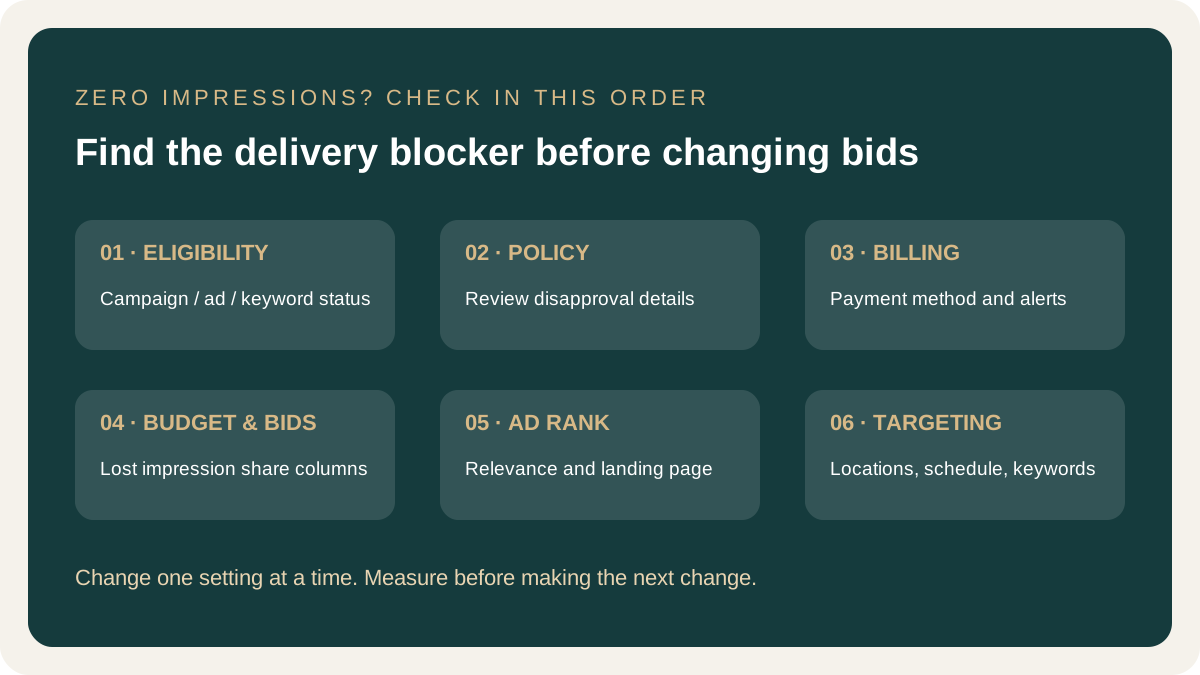
Before changing bids or budgets, check the campaign, ad group, ad and keyword statuses. Then use Search impression share and the Ad Preview and Diagnosis tool to identify whether the issue is eligibility, budget, Ad Rank or targeting.
A campaign that is set up, approved and "running" but shows zero impressions is one of the most frustrating things in Google Ads. The cause is usually one of a short list of things, and most can be found in a few minutes.
I'm Hitesh Jaganiya, a digital marketing consultant with 11 years of experience, certified in Google Ads and Google Analytics. This is the order I check things in when someone says their ads aren't showing. For wider support, visit my homepage as a Digital Marketing Consultant in Ahmedabad.
Start Here: A Two-Minute Check
Before looking at causes, look at what Google is already telling you.
- Check the status column at campaign, ad group and ad level. Anything other than "Eligible" deserves attention: "Paused," "Under review," "Disapproved," "Limited by budget," "Eligible (limited)" or "Billing issue."
- Hover over the status. Google usually states the reason in plain words.
- Add impression share columns (Search impression share, Search lost IS (budget) and Search lost IS (rank)). They show whether you're losing impressions to budget or Ad Rank.
- Use Ad Preview and Diagnosis. Find it under Tools in your account (menu names can change). It can show whether your ad is eligible for a search and location.
Menu names and layouts change, so if a label doesn't match, search Google's Help Centre for its current name.
1. The Campaign, Ad Group or Ad Isn't Actually Live
It sounds obvious, but it is a common cause. Check each level, because one paused ad group or an ad still under review is enough to stop everything beneath it. New ads typically go through review before they can show, and this can take some time.
Fix: Make sure the campaign, ad group, ad and keywords are all enabled and past review. Check the campaign's start and end dates, too.
2. An Ad Was Disapproved or Is Limited by Policy
If an ad breaks Google's advertising policies it won't run, or it will run with restrictions. Healthcare, finance and claims-heavy categories can face stricter checks.
Fix: Open the policy details on the ad, edit it to comply and resubmit it. If you think the decision was wrong, you can appeal it. For clinics and doctors, see how Google's healthcare policy affects ads.
3. There's a Billing or Payment Problem
If your payment method failed, billing isn't fully set up or the account has been suspended, nothing runs, however good the campaign is.
Fix: Check the billing section for alerts, confirm the payment method is valid and any outstanding balance has been paid.
4. The Daily Budget Is Too Low or Used Up Early
If your budget is tiny relative to what clicks cost, it may run out within the first few clicks of the day, and Google may show your ad only for a short window. In an expensive category, a small budget buys very few clicks. I've set out what Google Ads typically costs in Ahmedabad by industry so you can judge whether your budget is realistic.
Fix: If "Search lost IS (budget)" is high, either raise the budget or narrow the campaign to fewer, better keywords and locations so the same budget goes further.
5. Your Bids Are Too Low, or the Bid Strategy Is Too Restrictive
Google Ads is an auction. If your bid is too low to win, your ad doesn't show. With automated bidding, an unrealistic target (a target CPA far below what clicks actually cost, for instance) can leave the system with almost nowhere to bid.
Fix: If "Search lost IS (rank)" is high, you're losing on Ad Rank. Raise bids modestly or loosen your target, and watch for a few days. Why your cost per click may be high explains the trade-off.
6. Low Quality Score and Weak Ad Rank
Your bid is only part of Ad Rank. Ad relevance, expected click-through rate and landing page experience also count. Weak results on those make it harder to win auctions, especially against competitors with stronger relevance. I've written about how Quality Score works and how to improve it.
Fix: Tighten keyword and ad-group themes, make ads match what people search for, and send traffic to a page about the same topic.
7. Targeting Is Too Narrow
Stacking restrictions can shrink your audience to almost nothing: a very small location radius, a narrow ad schedule, device bid adjustments set to exclude a device, a language setting that doesn't match how people search, or audience restrictions that limit who can see the ad.
Fix: Review location, language, schedule, devices and audiences. For a local business, a radius that covers only a few streets may be too tight. Widen one setting at a time so you can see which one mattered.
8. Keywords Are Too Narrow, or Search Volume Is Very Low
A handful of exact-match keywords for a very specific phrase may simply have almost nobody searching for them. The ads are fine; the demand isn't there.
Fix: Check keyword search volumes in Keyword Planner. Add related terms and consider phrase match for some of them. Keep search intent in mind, so you're widening the net without drifting into irrelevant searches.
9. Negative Keywords Are Blocking You, or the Campaign Is Still Learning
Two different problems, with a similar symptom.
Negative keywords
A negative keyword that is too broad, or that conflicts with a keyword you actually want, can prevent ads from showing. Fix: Review negative keyword lists at campaign and account level.
Learning period
New campaigns, and campaigns using conversion-based bidding without enough conversion data, need time. Impressions can be low or uneven at first. Fix: Give it a few days to a couple of weeks before making major changes, and check that your WhatsApp enquiry tracking is counting the right things, because poor data makes automated bidding less useful.
A Quick Way to Decide What to Fix First
| What you see | Most likely cause |
|---|---|
| Paused, under review or disapproved | Causes 1–2 |
| Billing alert or account warning | Cause 3 |
| High "lost IS (budget)" | Cause 4 |
| High "lost IS (rank)" | Causes 5–6 |
| Everything looks fine but nothing shows | Causes 7–9 |
What Not to Do
Don't change everything at once. If you alter budget, bids, keywords and targeting on the same day, you won't know what worked.
Don't judge on day one. Some settings take time to settle. But if a campaign shows nothing after a couple of days and the status looks healthy, start going through this list.
Don't ignore the account-level view. Sometimes the issue isn't a single campaign. Check notifications, billing and policy messages at account level too.
If all of this checks out and you're getting impressions but few clicks, that's a different problem. I've covered optimisation moves that most accounts miss.
Frequently Asked Questions
Why are my Google Ads not showing any impressions?
Common causes include paused or under-review ads, disapproval, billing problems, a small budget, bids that cannot win auctions, narrow targeting or blocked keywords.
How long does it take for Google Ads to start showing?
Ads must pass review before they can show, and new campaigns may take time to settle. If there are still no impressions after a couple of days and everything is eligible, check the causes in this guide.
What does Eligible (limited) mean in Google Ads?
It means the ad can run, but a restriction such as budget, policy or targeting may limit delivery. Hover over the status to see the specific reason.
Can a low budget cause no impressions?
Yes. A small daily budget compared with click costs may be spent quickly, limiting the hours or searches on which your ads can appear.
Do negative keywords reduce impressions?
Yes, that is their purpose. Overly broad or conflicting negative keywords can block searches you actually want, so review campaign- and account-level lists.
Why do I have impressions but no clicks?
That is usually a different issue involving ad position, relevance, copy or keyword intent rather than a complete lack of visibility.
Need help diagnosing a Google Ads campaign?
Start with eligibility, impression share, billing and targeting before making broad changes. For wider campaign support, visit my homepage as a Digital Marketing Consultant in Ahmedabad.